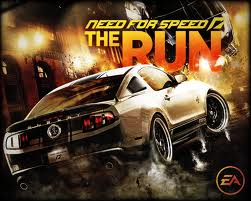
 Vrrrrmmmmmmm! That’s the sound of me driving my fancey racecar in Electronic Arts’ Need for Speed: The Run! EA did a nice job with this latest Need for Speed installment — that’s for sure. You can play it on your computer — Windows XP (sorry! Thanks John 61), Windows Vista, or Windows 7 are supported, or you can play it on your gaming console — Xbox 360, Nintendo Wii, or PlayStation 3 (PS3). It’s even available on the Nintendo 3DS. Regardless, get your steering wheels ready or your keyboard and mouse for PC users.
As of this time, it is not available for Steam just yet, but it IS available on Origin instead. It will likely be released on Steamworks too though so if you prefer using Steam, then you can wait.
You may run into some Need for Speed: The Run errors when playing this game, especially if you are playing the game on a PC instead of a console. Use this game fixes guide to help you troubleshoot and solve any bugs, glitches, or other problems you’re experiencing.
Need for Speed The Run Crashes (C2D) / Launch Failure / Freezing
Are you getting a black screen after launch? Is NFSTR crashing to the desktop (CTD)? Does it freeze, hault, or stall? Rough! Try the following solutions:
– Apply the latest patch to the game (for consoles and the PC version)
– Change your resolution to something more common
– In a multiple computer monitor configuration, disable all but the primary monitor
– Upgrade your video card drivers! These provide optimization, bug fixes, and increased frame rates. You can find video card drivers here.
– Run the game in Windows XP Compatibility Mode
– Run the game under admin or administrator mode
– Apply the latest patch to the game (for consoles and the PC version)
– Change your resolution to something more common
– In a multiple computer monitor configuration, disable all but the primary monitor
– Upgrade your video card drivers! These provide optimization, bug fixes, and increased frame rates. You can find video card drivers here.
– Run the game in Windows XP Compatibility Mode
– Run the game under admin or administrator mode
Need for Speed The Run Lagging / Stuttering
This includes chopping frames or skipping too. Try the following fixes.
– Lower the graphics setting (i.e. resolution)
– Upgrade your graphics card drivers (AMD ATI and NVIDIA provides performance increases for games all the time). You can find video card drivers here.
– Exit all programs and disable ones that may pose problems (though not ideal, some antiviruses and firewalls cause high lag)
– Turn off AntiAliasing (AA) and VSYNC for the game
– Lower the graphics setting (i.e. resolution)
– Upgrade your graphics card drivers (AMD ATI and NVIDIA provides performance increases for games all the time). You can find video card drivers here.
– Exit all programs and disable ones that may pose problems (though not ideal, some antiviruses and firewalls cause high lag)
– Turn off AntiAliasing (AA) and VSYNC for the game
NFSTR Game Controller Not Working
Have a Xbox 360 controller, Steering wheel attachment, or some other USB device for playing this game? Good — that’s how it should be played after all. If your USB device is not working, then try the following…
– Plug in the controller BEFORE you open the game
– Unplug other USB devices that you are not using, especially if you have ANOTHER game controller plugged in
– Update your game controller drivers using the official drivers
– NFS officially support all X input / Direct X compatible controllers
– Set your options for Need for Speed The Run to what you’re using — Keyboard, Wheel Controller, etc
– This may sound odd, but unplug your mouse and keyboard! The Razer Nostromo and others are causing issues with detection and even acceleration.
– If you use Logitech software, then close Lcore.exe in task manager! This some reason causes problems for some people
There are apparently some key mapping issues too. They don’t stick or save for some people. Note that a patch is being released soon and it may help with that.
– Plug in the controller BEFORE you open the game
– Unplug other USB devices that you are not using, especially if you have ANOTHER game controller plugged in
– Update your game controller drivers using the official drivers
– NFS officially support all X input / Direct X compatible controllers
– Set your options for Need for Speed The Run to what you’re using — Keyboard, Wheel Controller, etc
– This may sound odd, but unplug your mouse and keyboard! The Razer Nostromo and others are causing issues with detection and even acceleration.
– If you use Logitech software, then close Lcore.exe in task manager! This some reason causes problems for some people
There are apparently some key mapping issues too. They don’t stick or save for some people. Note that a patch is being released soon and it may help with that.
Origin Stuck at “Ready to Install”
Origin brings a whole new host of errors to installing and playing the game. Try running and installing as Admin / Administrator…Otherwise:
1) Navigate to C:\Program Files (x86)\Origin Games\Need for Speed The Run Limited Edition\
2) Ensure that you have the executable ‘Need for Speed the Run.exe”. If it is some reason labeled as “Need for Speed the Run.exe_DiP_STAGED” then rename it to “Need for Speed the Run.exe” and try playing the game
1) Navigate to C:\Program Files (x86)\Origin Games\Need for Speed The Run Limited Edition\
2) Ensure that you have the executable ‘Need for Speed the Run.exe”. If it is some reason labeled as “Need for Speed the Run.exe_DiP_STAGED” then rename it to “Need for Speed the Run.exe” and try playing the game
Need for Speed: The Run – Cannot Connect to Online Multiplayer / Voice Chat Not Working
Ensure that your router and software firewalls are allowing for the following ports to send and receive / accept or make connections on the following TCP ports so that Speedwall or Autolog is able to work correctly.
TCP: 80, 443, 9988, 10011, 10021, 10031, 10051, 10061
TCP: 10071 10321, 10331, 10341, 10351, 10361, 42127
TCP: 80, 443, 9988, 10011, 10021, 10031, 10051, 10061
TCP: 10071 10321, 10331, 10341, 10351, 10361, 42127
Need for Speed: The Run cars Disappearing / Reappearing in Multiplayer
This happens if you have high latency. If you are doing something such as downloading files through torrenting, then exit it. It takes up a lot of bandwidth.
Autolog Photo Error – “Photo upload failed. Please try again”
If you are taking pictures and are trying to upload them, then make sure you are actually connected to Autolog first. There’s a limit of 25 photos per account too so make sure you are not over th limit. Also note that THEIR server may in fact be offline for maintenance or because of an error.
Need for Speed The Run Sound Messed Up / Not Working
This pertains to people who have no audio or music, or crackling sound. Other sound issues exist too — such as muted or low volume, stuttering, etc. It can effect your headphones, surround sound speakers, and headsets too. Try these solutions:
– Set your Windows speaker configuration from 7.1 or 5.1 to 2.1
– Change your audio playback to 16bit 48000hz
– Upgrade your sound card drivers
– In DirectX Diagnostic Tool (Start -> RUN -> DXDIAG), go to the “Sound” tab and under DirectX Features turn off hardware sound acceleration
– Lower your Sample Rate Conversion Quality from “best” to “good” (Control Panel -> Sounds and Audio Devices -> Volume -> Speaker Settings -> Advanced -> Performance)
– Set your Windows speaker configuration from 7.1 or 5.1 to 2.1
– Change your audio playback to 16bit 48000hz
– Upgrade your sound card drivers
– In DirectX Diagnostic Tool (Start -> RUN -> DXDIAG), go to the “Sound” tab and under DirectX Features turn off hardware sound acceleration
– Lower your Sample Rate Conversion Quality from “best” to “good” (Control Panel -> Sounds and Audio Devices -> Volume -> Speaker Settings -> Advanced -> Performance)
Hardware / System Requirements
Minimum Requirements:
OS: Windows Vista SP2 32-bit
DirectX: DirectX 10
Processor: 3.0 GHz Intel Core 2 Duo or AMD Equivalent
Memory: 3 GB
Hard Drive: 18 GB
Graphics card (AMD): 512 MB RAM ATI Radeon 4870 or higher performance
Graphics card (NVIDIA): 512 MB RAM NVIDIA GeForce 8800 GT or higher performance
Sound card: DirectX Compatible
Keyboard or Gamepad or Steering Wheel
DVD Rom Drive
Online: 512 KBPS or faster Internet connection
OS: Windows Vista SP2 32-bit
DirectX: DirectX 10
Processor: 3.0 GHz Intel Core 2 Duo or AMD Equivalent
Memory: 3 GB
Hard Drive: 18 GB
Graphics card (AMD): 512 MB RAM ATI Radeon 4870 or higher performance
Graphics card (NVIDIA): 512 MB RAM NVIDIA GeForce 8800 GT or higher performance
Sound card: DirectX Compatible
Keyboard or Gamepad or Steering Wheel
DVD Rom Drive
Online: 512 KBPS or faster Internet connection
Recommended:
OS: Windows 7 SP1 64-bit
DirectX: DirectX 11
Processor: 3.0 GHz Intel Core 2 Quad or AMD Equivalent
Memory: 4 GB
Hard Drive: 18 GB
Graphics card (AMD): 1024 MB RAM ATI Radeon 6950
Graphics card (NVIDIA): 1024 MB RAM NVIDIA GeForce GTX560
Sound Card: DirectX Compatible
Keyboard or Gamepad or Steering Wheel
DVD Rom Drive
Online: 512 KBPS or faster Internet connection
OS: Windows 7 SP1 64-bit
DirectX: DirectX 11
Processor: 3.0 GHz Intel Core 2 Quad or AMD Equivalent
Memory: 4 GB
Hard Drive: 18 GB
Graphics card (AMD): 1024 MB RAM ATI Radeon 6950
Graphics card (NVIDIA): 1024 MB RAM NVIDIA GeForce GTX560
Sound Card: DirectX Compatible
Keyboard or Gamepad or Steering Wheel
DVD Rom Drive
Online: 512 KBPS or faster Internet connection
Incoming search terms:
- need for speed the run keyboard
- need for speed the run patch
- need for speed the run crash
- nfs the run fix
- need for speed the run controller
- need for speed the run problem
- nfs the run controls
- need for speed the run freeze
- need for speed the run crashes
- nfs the run patch
- nfs the run controller
- nfs the run problem
- need for speed the run freezes
- nfs the run crashes

No comments:
Post a Comment